Runner - TV Edition
About this game
This DLC requires the base game "Jungle Run Motion Edition" in order to run.
🏃 Jungle Run Motion Game · Big-Screen Expansion Pack
This expansion pack provides a big-screen solution for the "Jungle Run Motion Edition" game. If you do not have a camera configured for your computer, or if you wish to play "Jungle Run Motion Edition" on your TV, you can purchase this DLC pack to make it possible.
You can enjoy the game on your TV big screen via the following two methods:
Method 1: Phone + PC (cast to TV via Steam Link)
Method 2: Phone + TV Box (run directly on Android TV; PC is only used for QR code authentication)
📦 Expansion Pack Contents
This expansion pack contains two independent programs:
Mobile App: Motion capture program (Android), file name phoneRunner.apk. Launch this program to perform body motion capture using your phone's camera.
TV Program: Game program (Android), file name TVRunner.apk. This can be run directly on your TV or TV box (used in Method 2).
📦 Operation Instructions
🎮 Method 1: Phone + PC (cast to TV)
Required devices: Android phone, Windows PC, TV (casting via Steam Link)
Steps:
Install the programs
Install the motion capture app on your phone (obtain from the expansion pack)
Ensure that the "Runner" main program is installed on your PC (Steam will update it automatically)
Launch and authenticate
Open the game on your PC, and select the "Phone + PC" mode from the main menu
A QR code will appear in the upper-left corner of the game
Open the motion capture app on your phone and scan the QR code to complete authentication
Start the game
After authentication is successful, the phone will automatically begin body motion capture, and the data will be transmitted wirelessly to the PC
The PC game will start immediately
Cast to TV
Open the Steam Link app on your TV (must be on the same local network as your PC)
Select your PC, and the game screen will be cast to your TV's big screen
🎮 Method 2: Phone + TV (game runs directly on TV)
Required devices: Android phone, Android TV / TV box, Windows PC (only used for QR code authentication)
Steps:
Install the programs
Install the motion capture app on your phone (obtain from the expansion pack)
Install the game program on your Android TV / TV box (obtain from the expansion pack)
The "Runner" game must be installed on your PC (Steam will update it automatically)
Launch and authenticate
Open the game on your PC, and select the "Phone + TV" mode from the main menu
A QR code will appear in the upper-left corner of the PC screen
Open the game on your TV, and leave it on the waiting-for-connection screen
Open the motion capture app on your phone and scan the QR code on the PC screen
Start the game
After authentication is successful, the phone will begin capturing motion, and the data will be sent directly to the TV
The game starts on the TV, and the PC does not need to be involved in the subsequent process
⚠️ Important Notes
Ensure that your phone, PC, and TV (or TV box) are connected to the same local network, otherwise authentication may fail
Keep the playing environment well-lit and ensure your entire body is visible within the camera frame
If the capture frame rate on your phone is too low, you can lower the camera resolution in the app settings to improve performance
Obtaining the phone and TV programs: After purchase, a download entry is provided in the main program menu, which allows you to directly open the expansion pack folder to obtain the APK files
If you only wish to play this game on your PC and already have a camera, you can purchase the base version of "Runner" directly.
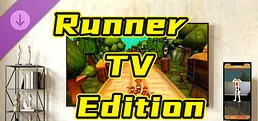
Turn your body into the controller! Jungle Run uses your phone camera to capture jumps, dodges, and dashes, streaming the action straight to your TV. Play via Steam Link or directly on Android TV—no extra gear needed. Experience the thrill on the big screen!