OLED Guard Pro
About this game
OLED Guard Pro
Smart OLED Burn-In Protection for Work, Gaming, and Multi-Monitor Setups
OLED displays deliver stunning contrast and perfect blacks — but static UI elements like taskbars, HUDs, menus, and status bars can slowly cause permanent burn-in.
OLED Guard Pro continuously analyzes your screen in real time and applies adaptive protection exactly where it’s needed.
Instead of dimming the entire display or running a basic screen saver, the system intelligently protects only the pixels that are at risk — keeping your screen safe while staying almost invisible during normal use.
Works While You Game
Many OLED protection tools stop working when a game launches.
OLED Guard Pro continues protecting your screen even during borderless fullscreen games, making it ideal for modern PC gaming setups.
Long sessions with static HUD elements like minimaps, health bars, or ammo counters can gradually age OLED pixels unevenly — OLED Guard helps prevent that.
Play longer with confidence.
These clips demonstrate the accuracy of our protection engine to detect static huds elements.
Smart Burn-In Protection
OLED Guard continuously monitors your screen using a real-time GPU analysis pipeline.
It detects:
• bright pixels
• static content
• long exposure time
When risk builds up, the system gently applies protection using subtle overlays and pixel-exercise patterns designed to reduce uneven OLED wear.
Protection strength automatically adapts using a closed-loop feedback system — similar to noise-canceling technology.
Choose from 5 sensitivity levels ranging from Gentle to Maximum protection.
Vignette Edge Protection
Static UI often lives at the edges of the screen.
OLED Guard includes a vignette protection system that focuses protection exactly where burn-in most commonly occurs.
You can independently control:
• left edge
• right edge
• top edge
• bottom edge
Quick presets make setup easy:
• Subtle
• Moderate
• Strong
A live preview with safe-zone indicators helps you fine-tune protection visually.
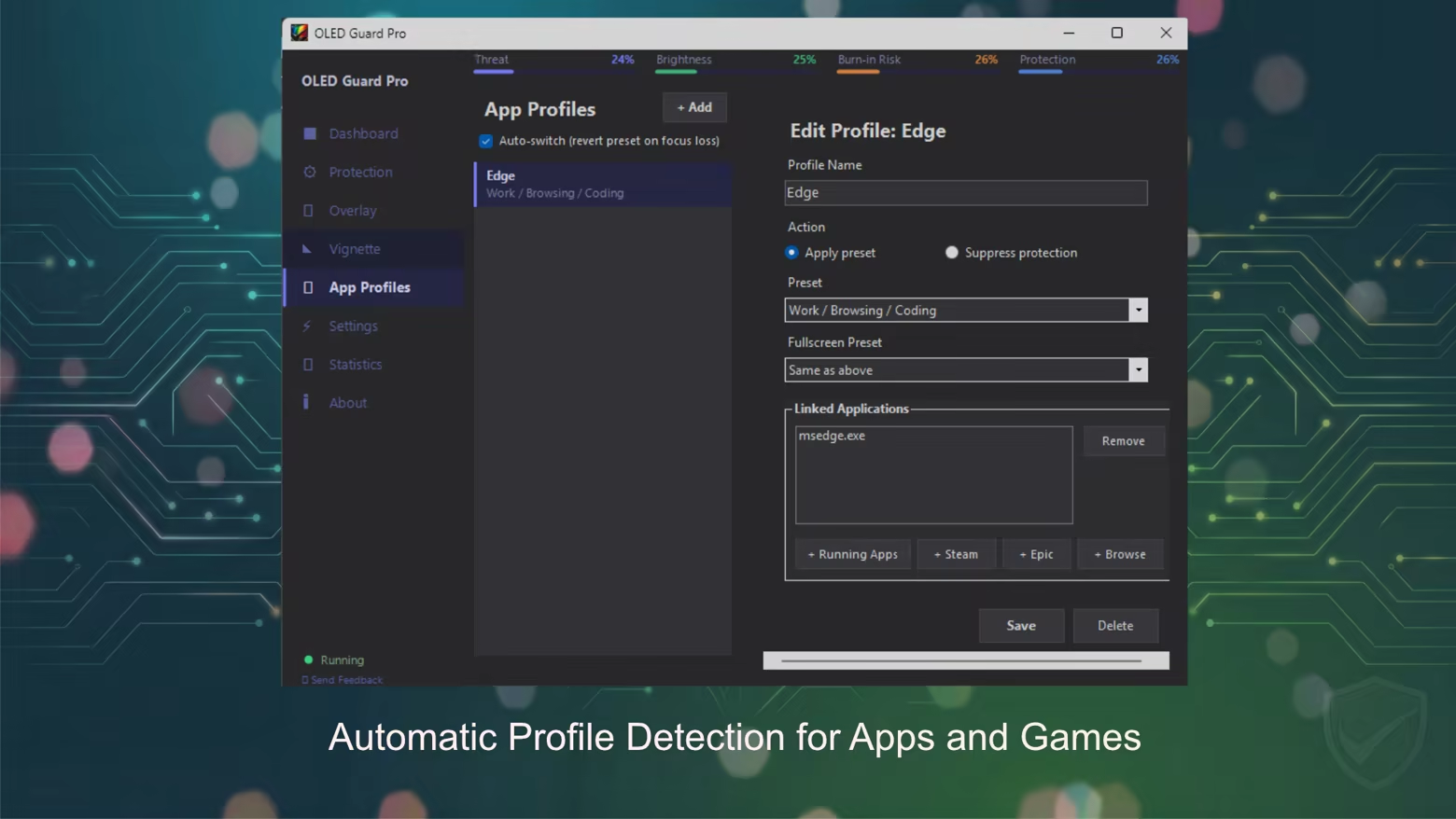
App Profiles
Different apps stress OLED panels in different ways.
OLED Guard can automatically detect running applications and apply custom protection settings for each one.
Examples:
• Stronger protection for productivity apps
• Subtle protection for games
• Completely disable protection for HDR content
Features include:
• separate presets for windowed and fullscreen mode
• built-in Steam Games library browser
• app-specific protection profiles
Multi-Monitor Support
Each monitor gets its own independent protection system.
OLED Guard supports complex setups with:
• per-monitor capture pipelines
• independent overlay rendering
• enable / disable protection per display
Perfect for users with multi-monitor workstations or gaming rigs.
Deep Customization
Advanced users can fine-tune exactly how protection behaves.
Control parameters such as:
• sensitivity
• stability detection
• responsiveness
• exposure accumulation speed
• recovery speed
• maximum dim amount
Quality presets let you match performance to your system:
• Low
• Medium
• High
• Ultra
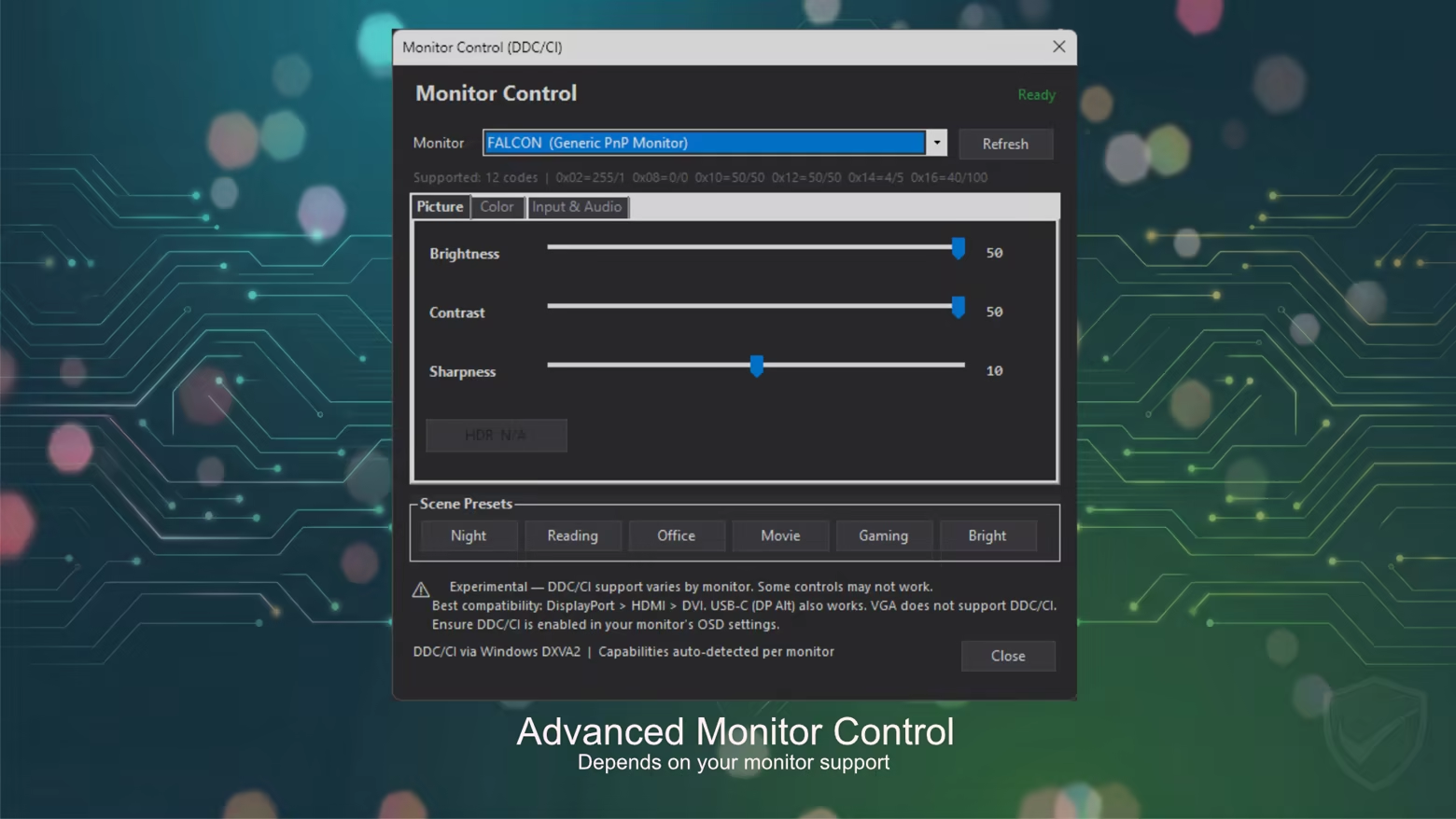
Monitor Control (DDC/CI)
OLED Guard can also control supported monitors directly using DDC/CI.
Adjust:
• brightness
• contrast
• RGB gain
Use built-in color temperature presets from 1900K to 9300K.
Scene presets included:
• Night
• Reading
• Office
• Movie
• Gaming
• Bright
Live Statistics & Monitoring
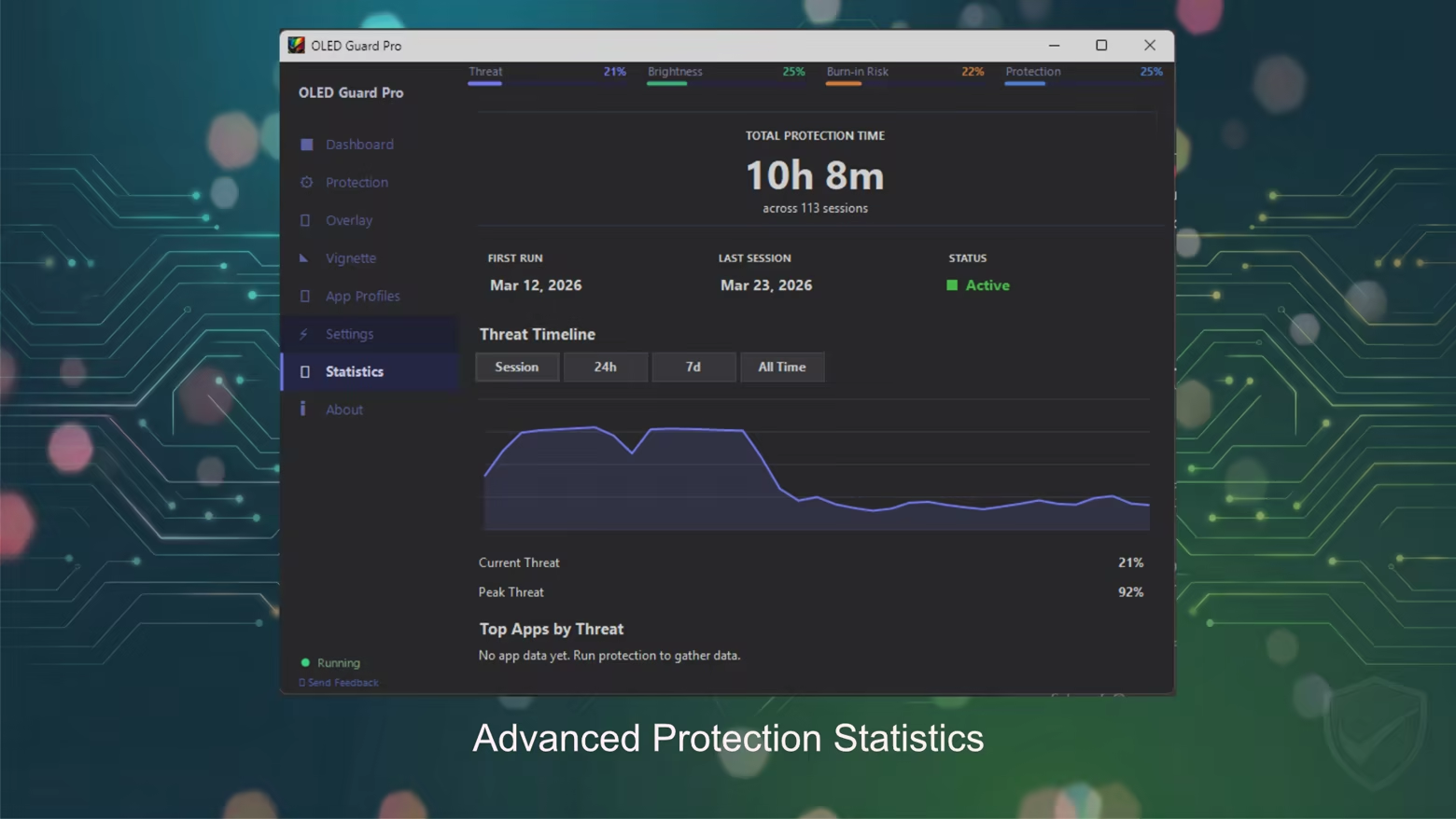
OLED Guard includes a powerful statistics system that shows how your screen is being used.
Track protection metrics with timeline graphs including:
• session statistics
• 24-hour history
• 7-day trends
• all-time protection data
You can even monitor which apps stress your OLED panel the most.
Additional metrics include:
• total protection time
• peak threat level
• session count
Debug Visualizations
For power users and enthusiasts, OLED Guard includes built-in visualization tools.
Preview exactly how protection works using:
• Preview mode
• Heat Map view
• Coverage Map
These tools reveal where protection is applied and why.
Flexible Overlay System
OLED Guard uses a blue-noise overlay pattern designed to gently exercise OLED pixels without producing obvious visual artifacts.
Options include:
• adjustable noise speed
• noise scale control
• gap filtering modes
• multiple overlay colors
Available colors:
• Black
• Red
• Green
• Blue
• White
Designed for Daily Use
OLED Guard integrates smoothly into your system so protection runs quietly in the background.
Features include:
• global hotkey to start/pause protection instantly
• system tray integration
• quick access to statistics and controls
• burn-in risk notifications
• automatic launch on Windows startup
Simply set it once and let it run.
Clean OLED-Friendly Interface
The app features a modern dark theme UI optimized for OLED displays.
The interface includes a simple sidebar layout with 8 dedicated pages, making navigation quick and intuitive.
Key Features
• Real-time OLED burn-in protection
• Works in borderless fullscreen games
• App-specific protection profiles
• Multi-monitor support
• Edge vignette protection
• Deep customization and presets
• Monitor control via DDC/CI
• Live statistics and threat monitoring
• Debug visualization tools
• GPU-accelerated processing
Protect your OLED display — while you work, create, and game.